Yoto Player (3rd Generation) Review: Screen‑Free Audio That Just Works

By Ben Carter


9.1
Consumer's Best Score
Consumers Best Verdict: Yoto Player (3rd Generation) Highlights
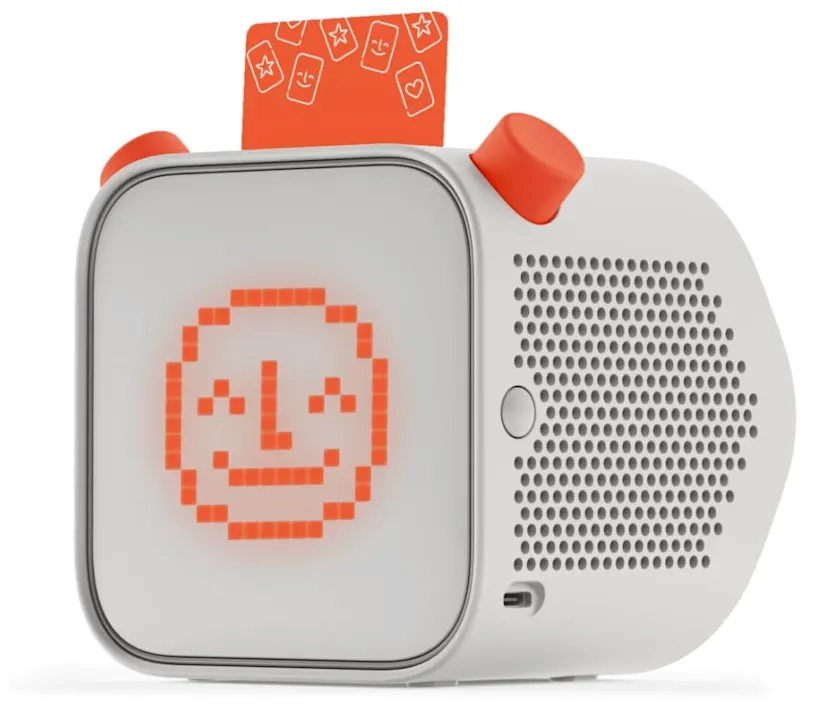
In a sea of yoto player 3rd generation reviews, the throughline is clear: it’s a thoughtfully designed, kid-led audio player that respects attention spans. The 3rd gen brings stronger battery life, snappier setup, and smarter app controls while keeping the core magic—pop in a card, twist a knob, and the story begins. It’s not the cheapest path to kids’ audio, but the overall experience, from the curated library to the make-your-own content, feels dialed-in for families.
Look, after months of real-world use in 2026—bedtime battles, road trips, rainy-day forts—the Yoto Player (3rd Generation) has become one of those rare kid-tech purchases I don’t second-guess. It nails the sweet spot: screen-free storytelling with grown-up-level polish. The card system is tangible and kid-proof, the audio is crisp, and the sleep tools (hello, night light and ok-to-wake clock) quietly make family routines smoother. Are the cards an ecosystem you’ll invest in? Yep. But it’s an ecosystem that feels worth it. If you want a calm, creative alternative to glowing rectangles, this is the one I’d personally recommend.
In-Depth Look: Yoto Player (3rd Generation) Features & Considerations
Core Features & Consumer Benefits
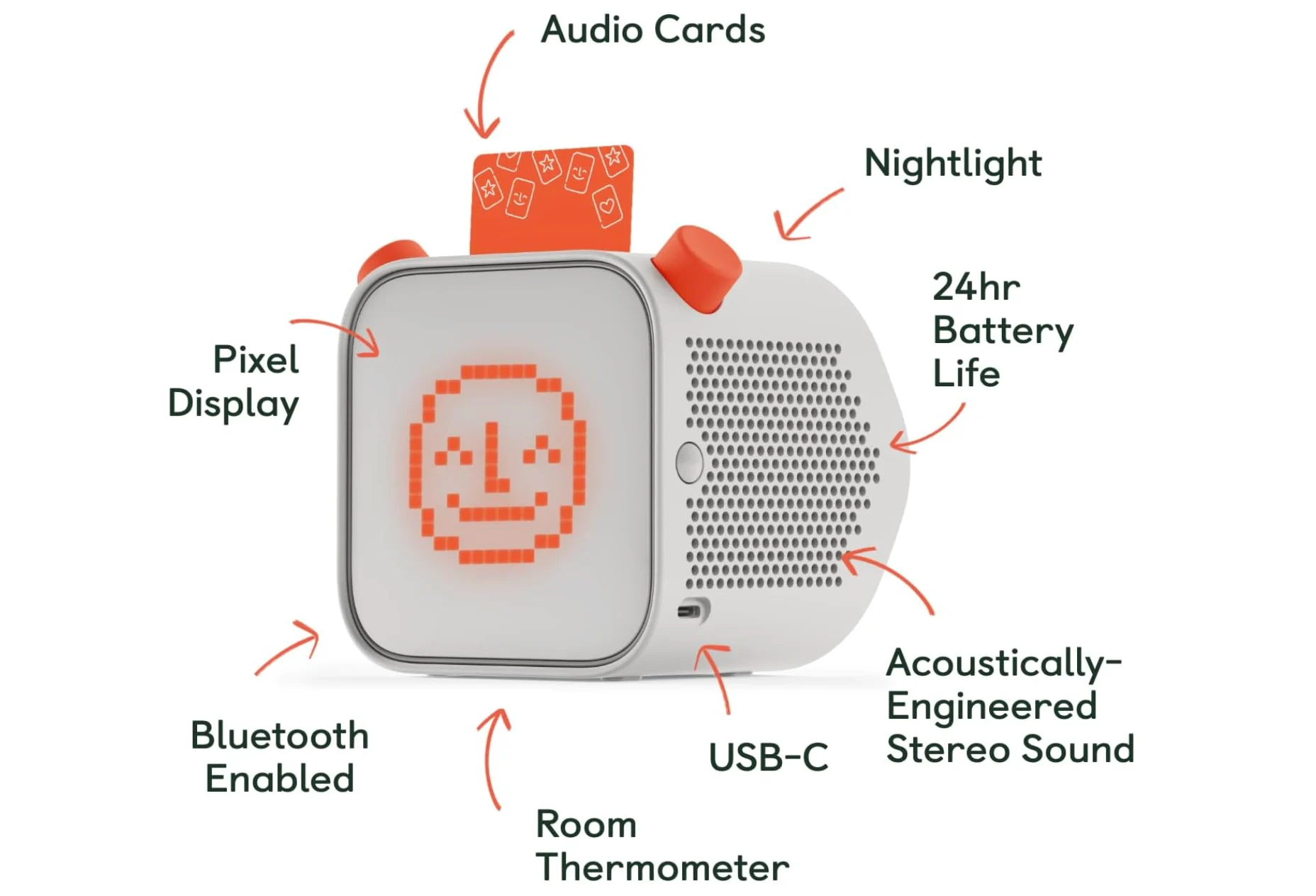
The Yoto Player (3rd Generation) leans into simplicity. No ads, no mic, no camera—just kid-controlled audio that fits real life.
Card-based, screen-free play
Kids slot in a Yoto Card and instantly control stories, music, and learning—independence without the scroll.
Sleep-friendly features
Built-in night light, ok-to-wake clock, timers, and white noise make bedtime and quiet time feel… doable.
Solid sound for the size
Clear, room-filling audio that’s great for storytime; volume limiting keeps things safe for little ears.
Stronger battery + portable design
Take it from the playroom to the backseat without hugging an outlet; offline playback once content is downloaded.
Parental control via app
Curate content, set daily limits, create playlists, and even make your own cards with voice notes or MP3s.
Important Considerations & Potential Downsides
- Content costs add up
The card library is excellent, but ongoing purchases can outpace a basic Bluetooth speaker setup.
- Requires Wi‑Fi for setup and downloads
Once synced, cards can play offline—but the first run needs a solid connection.
- Cards are physical (and losable)
Fun to handle, easy to misplace. A storage case is almost a must for busy households.
- Not a do‑everything speaker
It’s intentionally screen-free and focused. If you want native streaming apps and endless on-demand browsing, look elsewhere.
Who Is the Yoto Player (3rd Generation) Best For?
Screen‑free families
You want storytime, music, and learning without handing over a tablet.
Routine-seekers
Bedtime and wake-up cues help kids understand time—and give parents a breather.
Independent listeners
Kids who love choosing their own stories and pressing play themselves.
Gift givers
A tidy, thoughtful present that grows with a child’s library over months, not minutes.
Traveling parents
Offline playback and sturdy design make it easy to bring calm on the go.
Who Might Want to Explore Other Options?
- You want open-ended streaming
If your goal is Spotify/YouTube on-device, a smart speaker or kid-safe tablet fits better.
- Ultra-tight budgets
The ongoing cost of cards may exceed what you’re comfortable with long term.
- One-device-for-everything households
If you need video, games, and calls in one gadget, this isn’t it (by design).
- Families that lose small items
If cards will vanish in days, consider purely app-based audio instead.